Example app
The repository includes a native Flutter application for browsing MFM examples and experimenting with your own text. Its interface is currently in Japanese.
Run the app
Clone the development branch into a new directory, or use your existing checkout:
git clone --branch develop https://github.com/LibraryLibrarian/misskey_mfm_renderer.git
cd misskey_mfm_renderer/example
Use the repository's pinned Flutter SDK (fvm flutter can replace flutter). List the available devices and choose a native target. The following startup mode is recommended for exploring the catalog without initializing the online custom-emoji service:
flutter pub get
flutter devices
flutter run -d <device-id> --dart-define=MFM_EXAMPLE_OFFLINE=true
Replace <device-id> with the selected device's ID. This is not a Web demo.
The example depends on the parent package through path: ../. It demonstrates the checked-out source, including unreleased features, rather than necessarily matching the latest package on pub.dev. See the CHANGELOG for that distinction.
Browse and experiment
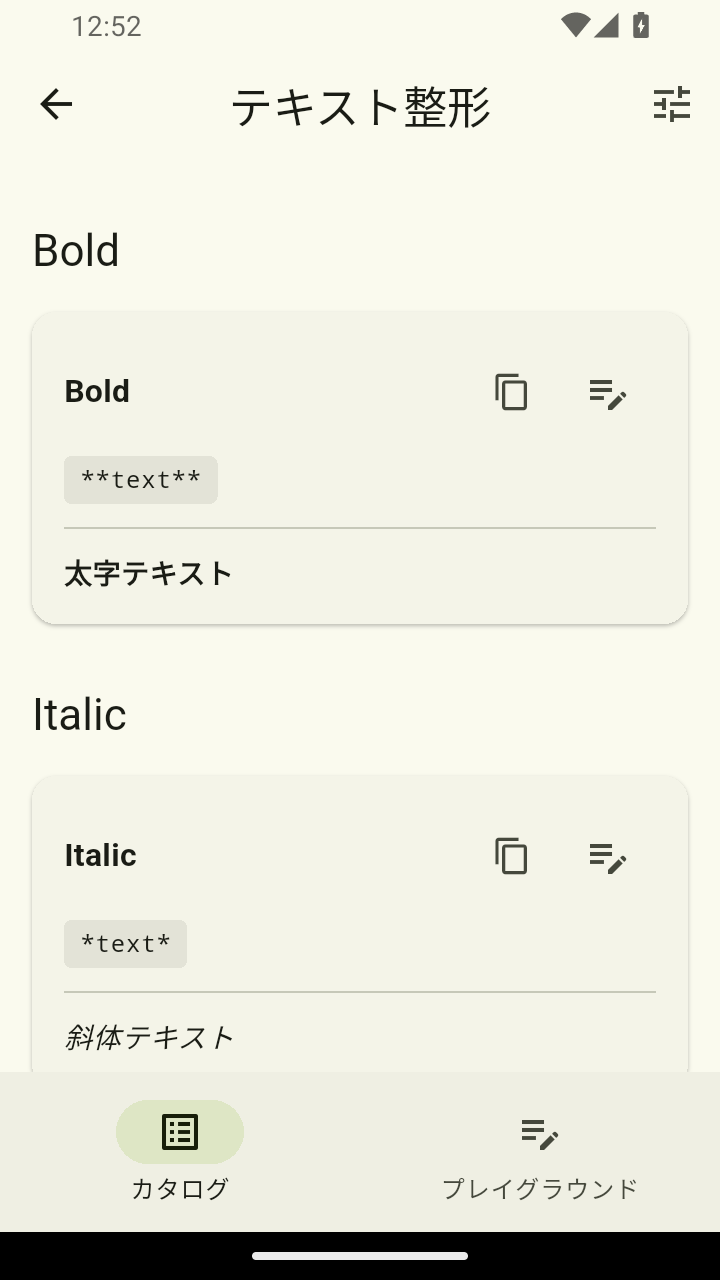
- Catalog: choose a category, such as text formatting or
fnfunctions. Related examples are grouped on the same page. - Try with these settings (この設定で試す): use the example's action to send its text and settings to the Playground. The action is an icon with an accessibility label and tooltip.
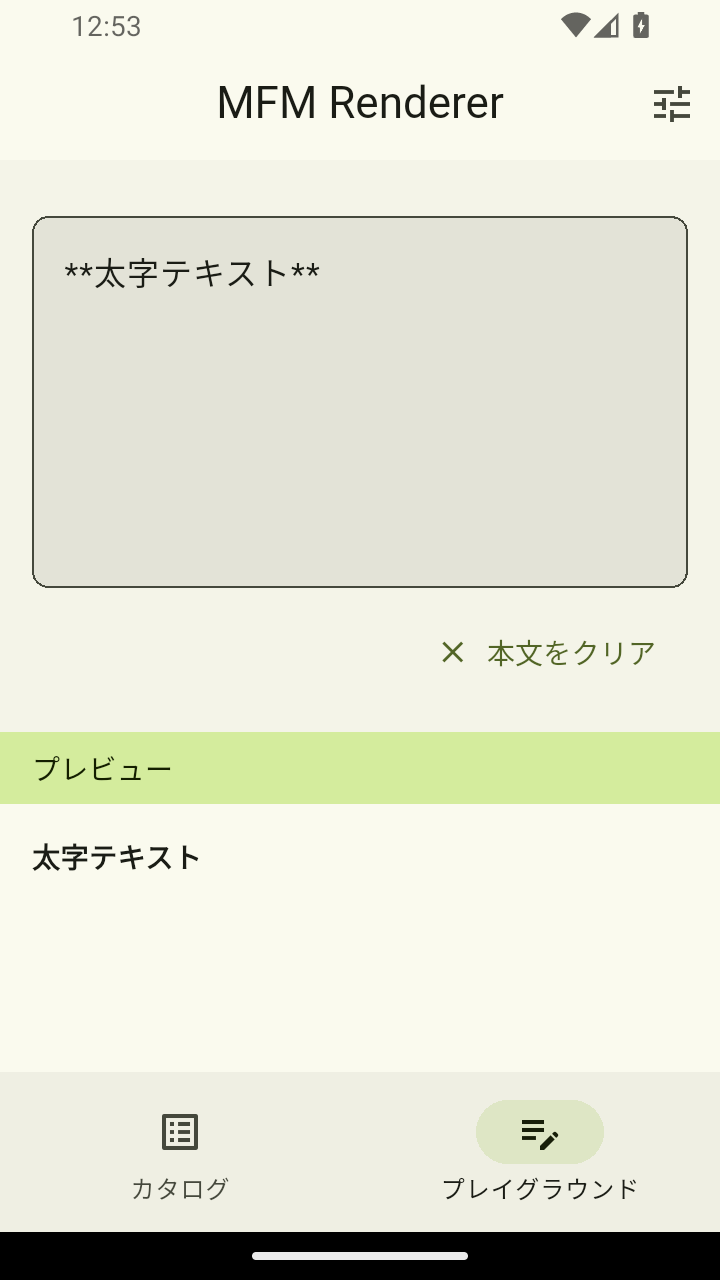
- Playground: edit the MFM text and inspect the result. Use the clear action to clear the text.
- Display settings (表示設定): open the settings screen to change shared display options. Cat-language conversion has its own detail screen explaining its modes and the simulated author's cat setting.
The example does not modify a real account's cat setting. Link, mention, hashtag, clickable, and search actions show a SnackBar instead of opening a browser or making a search request.
Offline and online behavior
Without MFM_EXAMPLE_OFFLINE=true, startup initializes custom-emoji support for misskey.io. The settings screen distinguishes successful online initialization, intentional offline startup, and initialization failure.
With the offline flag, the app skips custom-emoji initialization. Online-only remote-author and emojiUrls controls are disabled. Ordinary server emoji remain shortcodes; explicitly configured local fallback, avatar, and Twemoji examples can still be inspected.
The flag controls runtime startup, not the build environment. Dependency resolution and the SQLite build hook can still require network access. It does not add Web support.
Development-only differences
The guides target the published dependency in Getting started. The captured development checkout additionally contains the following changes; this table is not a copyable API recipe for the published package.
| Area | Development checkout (not the published guide API) |
|---|---|
| Mentions | Capsule presentation and MfmMentionOptions, presentation/avatar-provider options. |
| Timestamps | MfmUnixtimeOptions, absolute/relative formatting and periodic relative-label refresh. |
| Emoji | MfmTwemojiBuilder, emoji-context textStyle and custom-emoji fallbackTextStyle. |
| Search and links | Editable search and external icons on labelled links (bare URL icons already exist in the published package). |
| Borders | Expanded nine-style borders, RGBA and clipping behavior. |
Actual example screens
These are unmodified Android emulator captures of the development checkout, using offline synthetic data and the Japanese UI. They are illustrations, not a claim that the published package produces the same pixels. No iOS visual verification is represented here.
Capture revision, original PNG hashes and reproduction settings are recorded in the repository's screenshot provenance.
More information
The example README describes the catalog, settings, local fixtures, and platform setup in more detail. To add the library to your own application instead, start with Getting started.